Client portal
The client portal that chases documents for you.
Send one link. Your client sees exactly what's needed for their matter — in your brand — and Crove follows up until everything is in.
Half of every matter is waiting: for the passport scan, the bank statements, the form they said they'd sent. That half is now Crove's job.
A guided journey, not a file dump
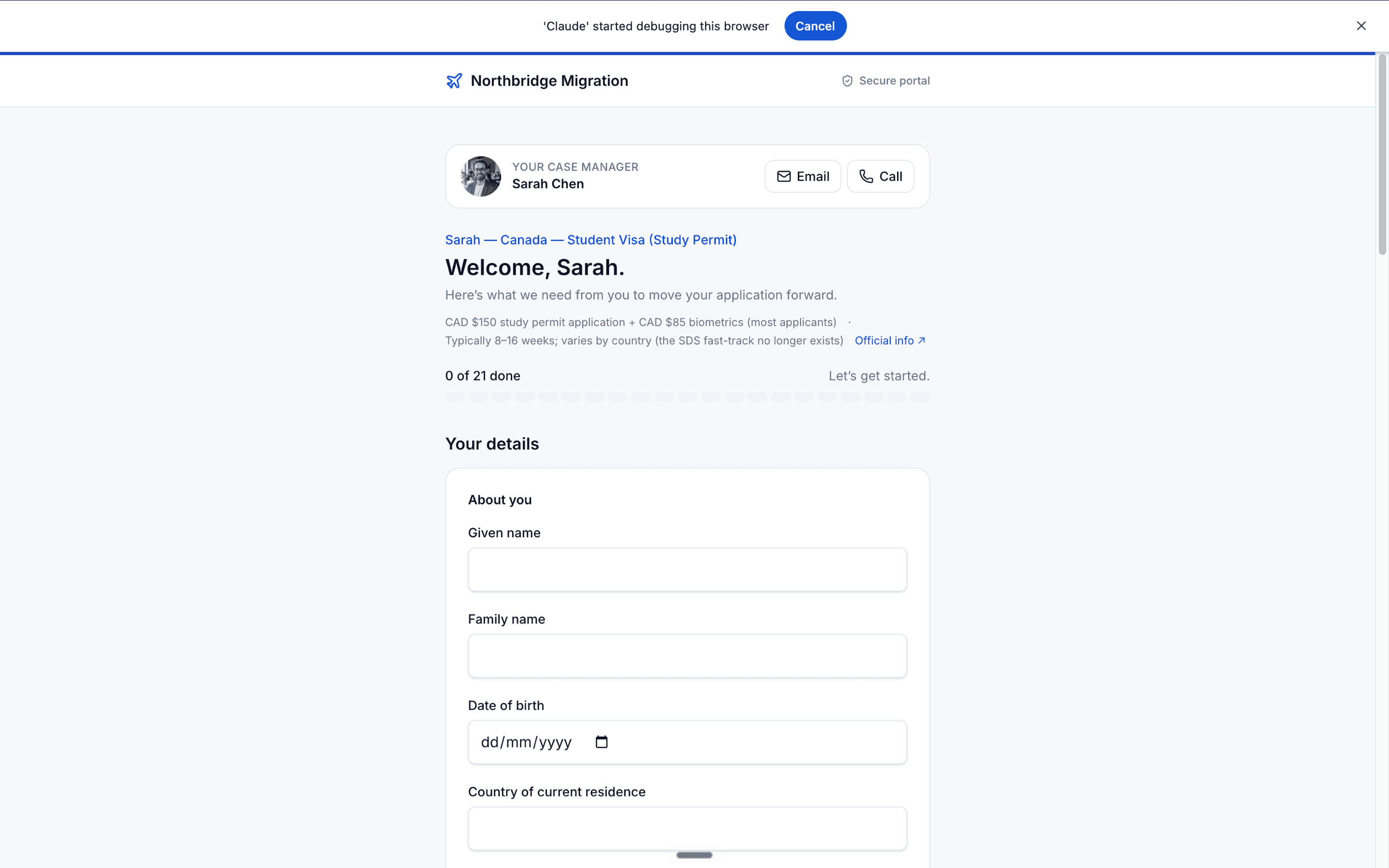
Clients see one requirement at a time, with the right instructions attached to each document. Progress is clear, and every upload lands against the matter.
Northbridge Migration
Your document intake
Upload a clear scan or photo. Certified copy accepted.
Your brand, front and centre
The portal carries your practice name, logo, and colours, so clients know the request came from you.
Sign-in without accounts
Clients open a secure link and sign in with a magic link or one-time code. They do not need to create a Crove account.
Check your email
We sent a one-time link to priya@example.com.
Reminders you never have to send
Crove nudges clients about missing items until the intake is complete, replacing the follow-up emails that drain your day.
From: Northbridge Migration
Two documents still needed for your matter
Hi Priya, your sponsor employment letter and bank statements are still waiting in your portal.
Made for phones, because clients live there
The portal works cleanly on mobile, so clients can upload documents from the device they already use.
Northbridge Migration
Your document intake
Upload a clear scan or photo. Certified copy accepted.
It chases, you don't
Automatic reminders keep missing documents moving without manual follow-up.
It adapts per matter
Intake logic changes what each client sees based on their answers.
Clients need zero setup
Magic links and one-time codes avoid account creation.
FAQ
Common questions
Do my clients need to create an account?
No. You send a secure link and your client signs in with a magic link or one-time code. They do not need to set up a Crove account.
Can I use my own logo and colours?
Yes. The portal carries your practice name, logo, and brand colours so the client experience feels like yours.
What happens when a matter is lodged?
The portal becomes read-only when the matter is lodged. Nothing is deleted, and the matter remains available for reference.
Is client data secure?
Crove uses secure sign-in and workspace-level access controls. Your team controls who can see each workspace and matter.
Can clients fill the portal in their own language?
The portal is English-only in this marketing release. Client-language support is a product direction, not a promise on this page.
Never send a "gentle reminder" again.
Give your next matter a portal, an intake, and a finished file. Free plan — no credit card required.